BEPRO Space
BEPRO Editor
Cerberus
Login & Signup
Request Match Analysis
0
BEPRO Space
Basic
All Users
Share folder
Let's learn how to share library folders
While the library is fundamentally a space for archiving videos you want to keep, you can also share them with team members when needed.
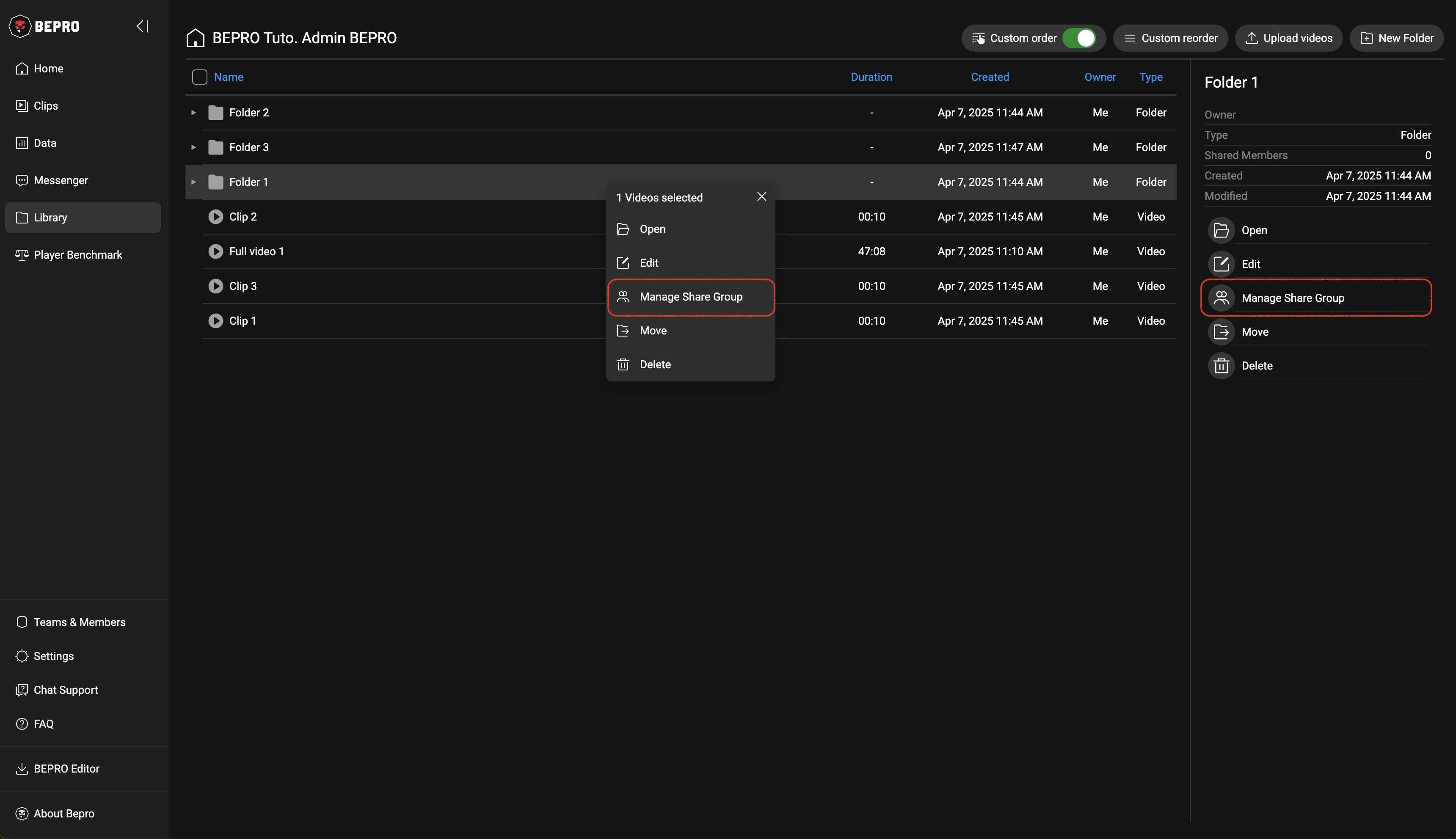
First, select the folder you wish to share with team members, then click the Manage Share Group button from either the right panel or the menu that appears when you right-click.
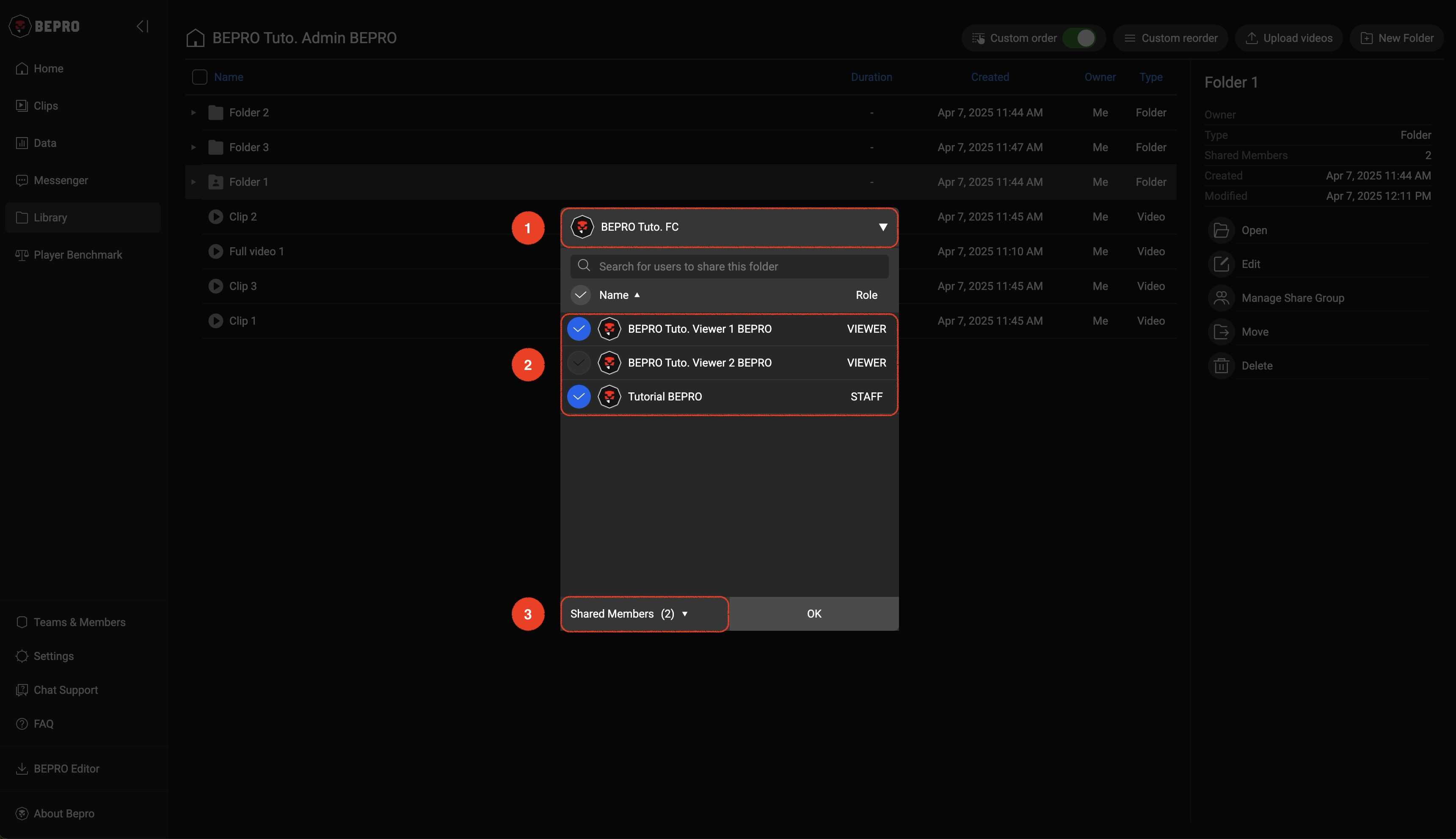
In the Manage share group modal, you can select any member of your team.
If you belong to multiple teams, you can change teams by clicking the team selection button at the top, and below it, all the selected team members will appear.
Selecting desired users here will add them as sharers of that folder.
The Share Members section at the bottom is a menu that allows you to easily check the list of people sharing that folder.
Once you've finished configuring the sharers, close the window by clicking the OK button.
Previous